


【2025最新】科学上网翻墙节点搭建教程!认真看都能学会,简单、稳定、安全的节点搭建方法,自建节点搭建教学!高速节点不惧晚高峰,4K视频流畅播放!
一、准备工作
1、VPS一台重置好系统
2、下载SSH连接工具Finalshell:【点此进入】
3、作者开源项目地址:【点此进入】
4、请自行放行VPS需要使用到的端口,部分VPS需要在已购VPS官网的控制台放行端口,如未成功放行搭建时所需要的端口,可能会造成搭建失败!
5、如搭建后出现报错或节点不能正常使用,建议根据视频检查是否有遗漏!
二、SSH连接VPS执行以下命令:
1、必要的更新(Debian/Ubuntu) [code] apt update -y && apt install -y curl socat wget [/code]
2、必要的更新(centos系统) [code] yum update -y && yum install -y curl socat wget [/code]
三、安装S-UI面板 [code] VERSION=v1.3.7 && bash <(curl -Ls https://raw.githubusercontent.com/alireza0/s-ui/$VERSION/install.sh) $VERSION [/code]
四、伪装域名
1、测试挑选 SNI 伪装域名
测试挑选 SNI 伪装域名
换一批 复制 [code] for d in mscom.demdex.net ts1.tc.mm.bing.net github.gallerycdn.vsassets.io www.amd.com bing.com cdn77.api.userway.org intel.com tag.demandbase.com prod.pa.cdn.uis.awsstatic.com se-edge.itunes.apple.com ; do t1=d<443> -servername d </dev/null &>/dev/null && t2=(date +%s%3N) && echo “((t2 - t1)) ms” || echo “$d: timeout”; done [/code]
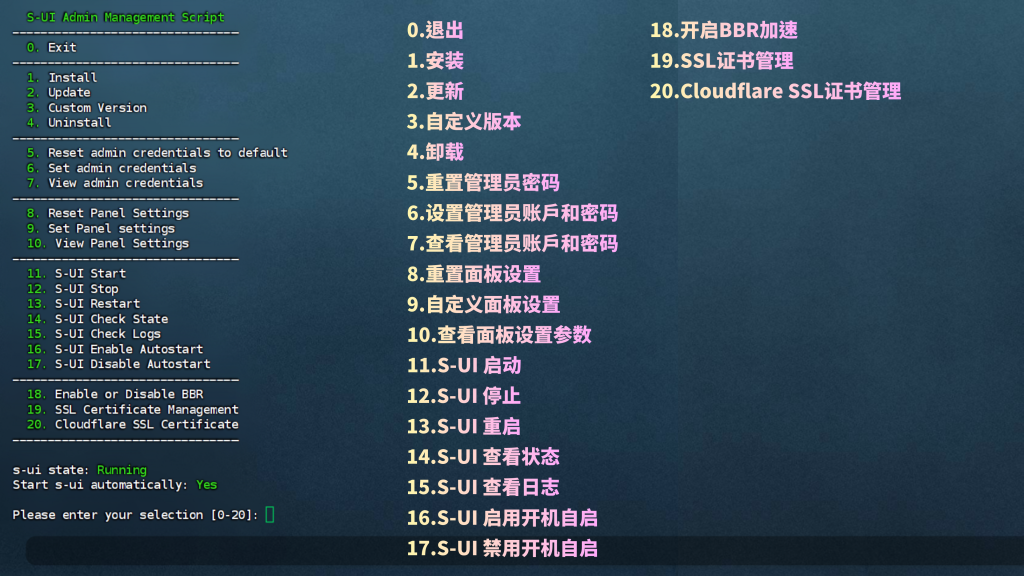
五、面板功能
SSH内输入下方命令: [code] s-ui [/code]
六、卸载 S-UI 面板 [code] sudo -i
systemctl disable s-ui --now
rm -f /etc/systemd/system/sing-box.servicesystemctl daemon-reload
rm -fr /usr/local/s-uirm /usr/bin/s-ui[/code]
七、建议使用的代理客户端:
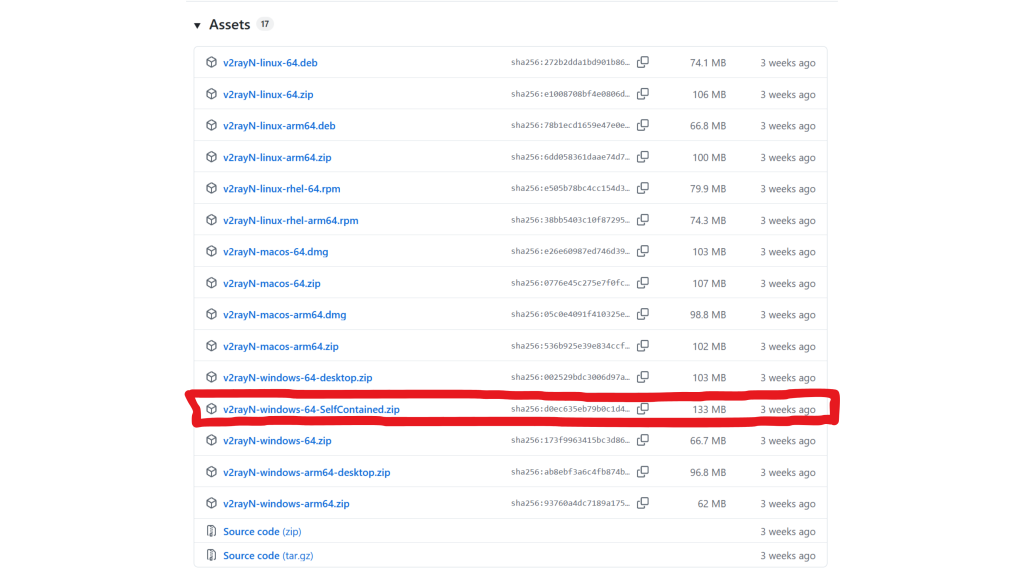
1、windows 使用 V2rayN 下载地址: [code] https://github.com/2dust/v2rayN/releases/tag/7.15.7 [/code]
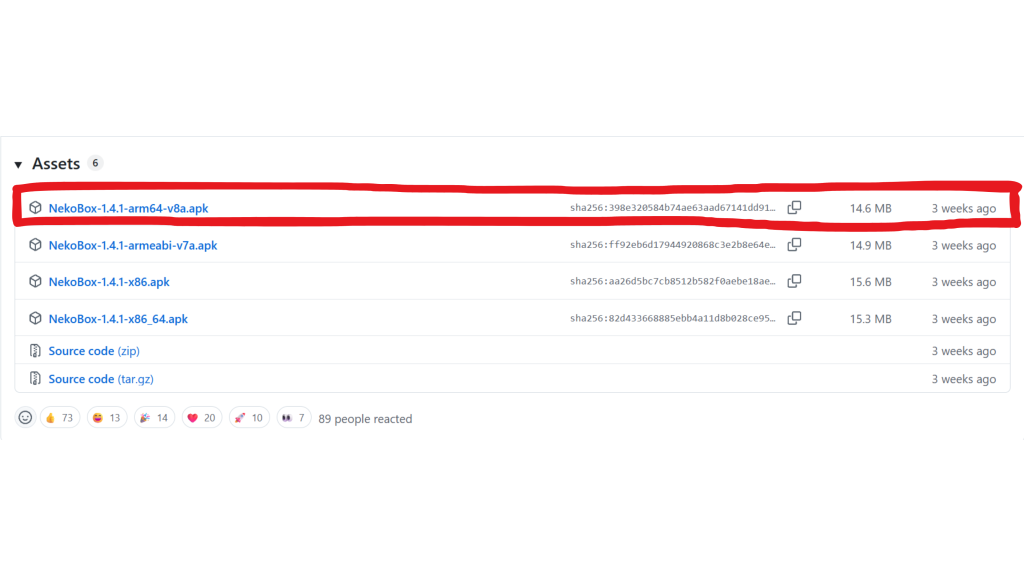
2、Android 使用 NekoBox 下载地址: [code] https://github.com/MatsuriDayo/NekoBoxForAndroid/releases/tag/1.4.1 [/code]
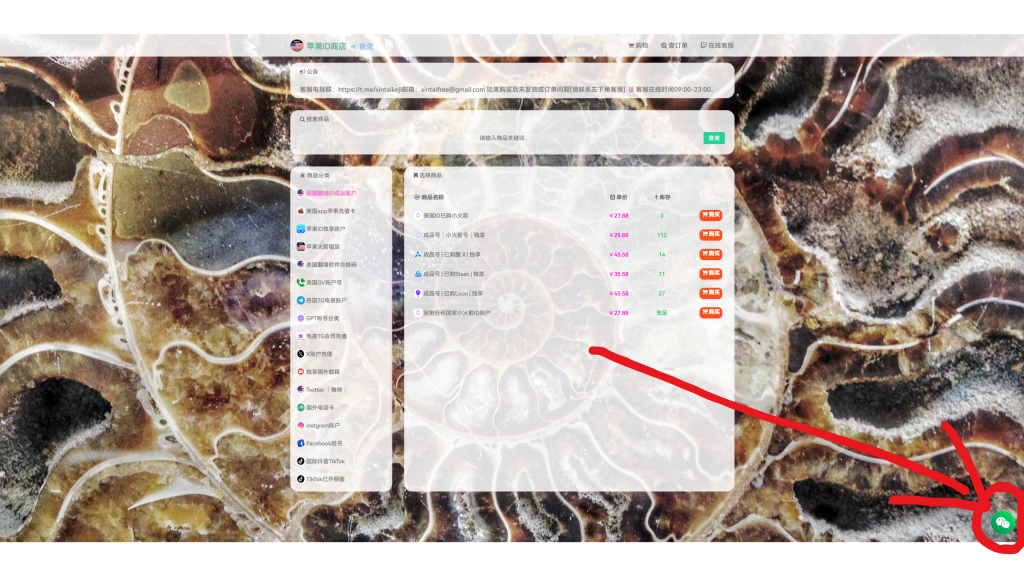
3、IOS/Mac 使用 shadowrocket(小火箭) 购买地址: [code] https://sudukj.eu.org [/code]
进入网站后点击页面右下角客服咨询购买,如果购买后未发货或订单问题[请联系右下角客服] ⏰客服在线时间09:00-23<00>
支持与分享
如果这篇文章对你有帮助,欢迎分享给更多人或打赏支持!